

The AI-native stack (2026): From text-to-app to agentic QA

tldr: The 10x engineer is real in 2026, but only because five tools replaced entire job functions across the SDLC. Here's the stack we've been running, where each tool fits, where the handoffs get messy, and why the testing layer is the one most teams still get wrong.
The velocity trap
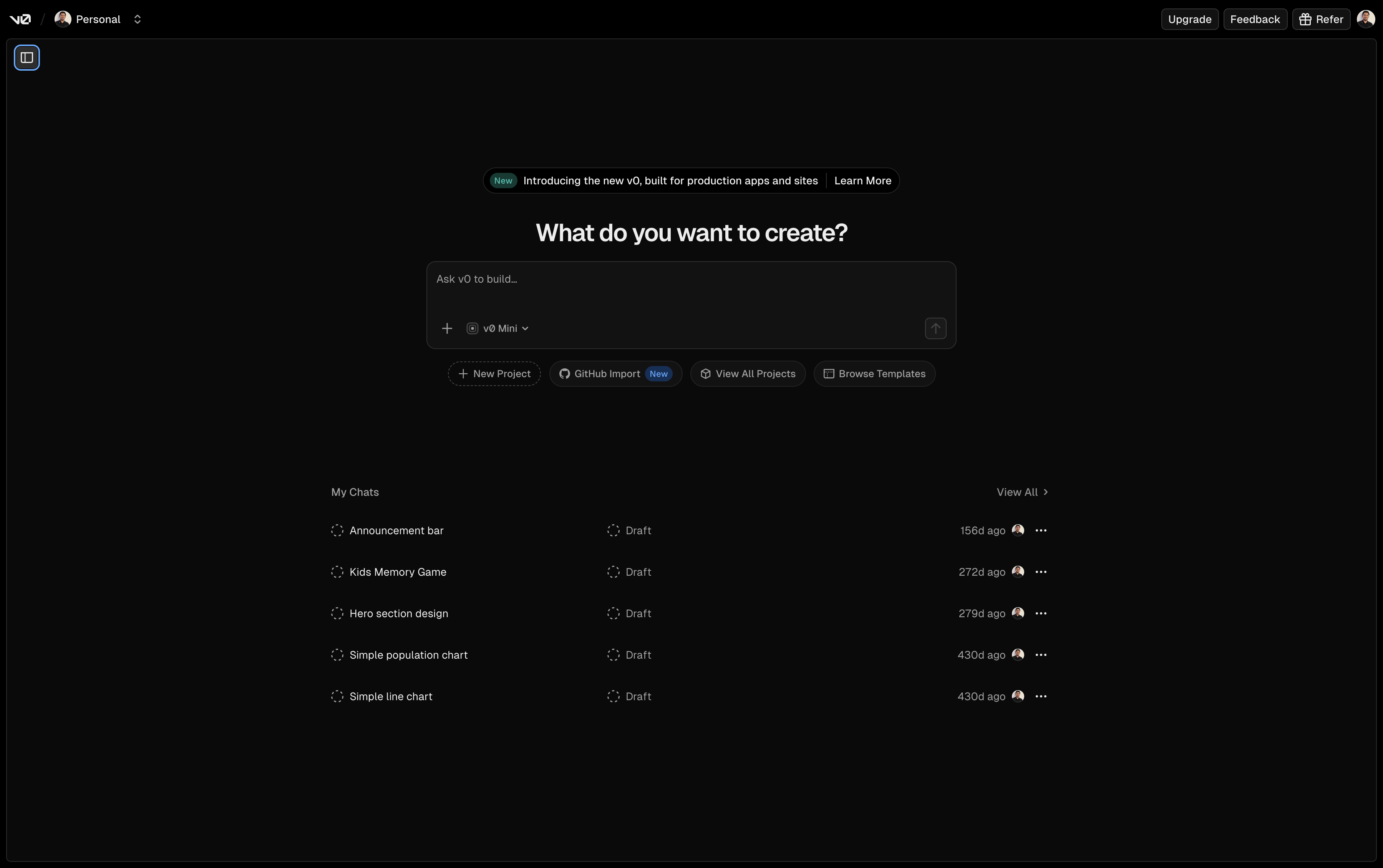
Most engineering teams figured out the coding part. Tools like Cursor and v0 turned "describe what you want" into "here's the working code." A single engineer can scaffold a full-stack application in an afternoon. Features that took a sprint take a session.
But here's what caught everyone off guard: the bottleneck didn't disappear. It just moved downstream. Writing code isn't the hard part anymore. Knowing whether the code actually works is.
If you generate code 10x faster, you generate bugs 10x faster. Your CI pipeline doesn't care that Cursor wrote the component in 30 seconds. It cares that the login flow breaks because the AI renamed a CSS class without telling you. Your users don't care that v0 generated a beautiful dashboard. They care that the checkout button doesn't respond on mobile.
You cannot solve 2026 speed with 2020 testing. Manual QA, hand-written Selenium scripts, and even basic Playwright suites maintained by humans can't keep pace with agentic workflows that produce dozens of PRs per day.
And here's what the "AI does everything" crowd gets wrong. We're past that hype. The real workflow is human-in-the-loop: the AI proposes, the engineer evaluates. Cursor generates a PR plan, you review it before execution. Bug0 generates a test suite, you audit the assertions before they gate production. The industry calls this "evals," and it's the difference between teams that ship confidently and teams that ship recklessly.
The other shift: multi-agent orchestration. One agent writes the code. Another agent automatically triggers the test. A third surfaces the results. Tools like GitHub Copilot Workspace and OpenAI's Codex started this pattern. The AI-native stack turns it into a pipeline where agents hand off to agents, and the human supervises the chain. That pipeline now has a name and a market: the AI software factory.
Here's what that chain looks like in practice:
Step | Agent / Tool | Action |
|---|---|---|
1. Intent | v0 | Generates UI component code from a prompt |
2. Logic | Cursor | Integrates component, writes backend logic based on |
3. Verify | Bug0 | Generates a Playwright test against the new PR automatically |
4. Deploy | Vercel | Creates a preview deployment, runs the Bug0 suite against it |
5. Loop | Sentry | Monitors for errors, suggests a fix-PR if the agent's logic fails in production |
Each step triggers the next. The human reviews at steps 2 and 3. The rest runs automatically. In theory. In practice, you'll spend a non-trivial amount of time on glue code: GitHub Actions configs, webhook integrations, environment variable wrangling. The tools don't natively talk to each other yet. You're the orchestration layer until someone builds the meta-agent that connects them.
You need a fully AI-native lifecycle. Every stage, from design to observability, powered by generative AI tools purpose-built for that stage. With humans reviewing the seams.
We've audited the landscape to find the best generative AI tools for every stage of the SDLC. Five stages. Five tools. One stack that gives a 5-person team the output of 50.
Stage 1: Design (the "no-Figma" era)
The tool: v0 by Vercel
The designer-to-developer handoff used to be a weeks-long process. Figma files. Redlines. "Can you move this 2px to the left?" conversations. Design reviews that blocked sprint planning.
v0 collapsed that entire workflow into a prompt.
You type: "Dashboard with dark mode, sidebar navigation, and Shadcn UI components." You get React code. Not a mockup. Not a wireframe. Production-ready JSX with Tailwind classes and proper component structure. You paste it into your project and it works.
v0 goes further now. Design Mode lets you edit by clicking, not just prompting. Select a component, drag to reposition, change colors visually, and the code updates underneath. It's Figma-speed iteration with code-first output. For engineers who think spatially, this changes the workflow from "describe what I want" to "show what I want."
The caveat: v0 is excellent at generating standard UI patterns. Ask for a dashboard, a settings page, a landing section, and you get clean code. Ask for something highly custom, an interactive data visualization or a non-standard navigation pattern, and you'll spend more time wrestling with the output than building it yourself. Know when to prompt and when to code.
This isn't "AI-assisted design." It's design-as-code. The prompt is the spec. The output is the implementation. There's no handoff because there's nothing to hand off.
Design-to-code vs. full-stack prompting
v0 excels at UI. But "text-to-app" now means more than components. Tools like Bolt.new and Replit Agent handle the full stack in one prompt: database schema, authentication, server logic, and UI. You describe the product. You get a deployable app with a Postgres database, OAuth, and API routes.
The distinction matters. v0 is design-to-code: the best tool for crafting specific UI components and pages with pixel-level control. Bolt.new and Replit Agent are full-stack prompting: better for prototyping entire applications from scratch. Most production teams use v0 for the interface layer and Cursor for the full-stack logic. But if you're a solo founder validating an idea, full-stack prompting tools get you to a working prototype in hours, not days.
Lovable sits between these approaches. Describe the product. Get a deployable app with a clean UI. It's opinionated about design in a way the general-purpose tools aren't.
The handoff is dead, but the pressure is real
When design becomes instant, the downstream pressure on development and testing increases exponentially. You're not waiting two weeks for mockups anymore. You're generating UI faster than your team can verify it works. The designer bottleneck is gone. The QA bottleneck just got worse.
Stage 2: Development (the agentic IDE)
The tool: Cursor (Composer Mode)
The shift here is from copilot to agent.
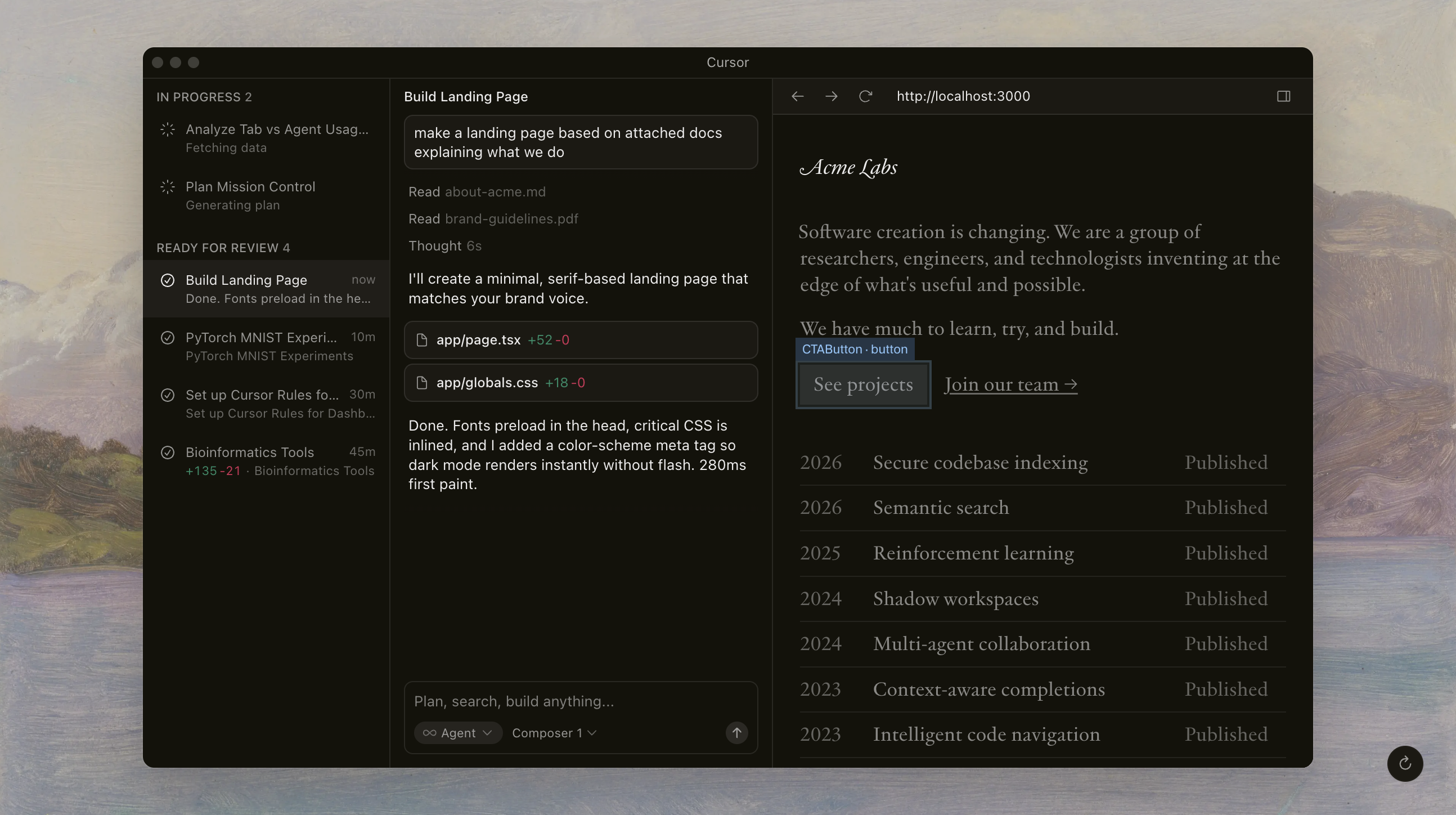
GitHub Copilot (2022-era) was autocomplete. It finished your line. Cursor's Composer Mode is a collaborator. It reads your entire codebase, understands the architecture, and makes multi-file edits in a single prompt. You don't type functions. You tab through entire features.
Tell Composer: "Add Stripe subscription billing with a pricing page, webhook handler, and database migration." It creates the pricing component, writes the API route, sets up the webhook endpoint, generates the Prisma schema change, and updates the navigation. Across six files. In one shot.
This only works because of how Cursor indexes your project. It builds a semantic map of your entire codebase, your documentation, your .cursorrules, and your git history, then retrieves the relevant context for each edit. Two years ago, you had to paste individual files and pray the model understood the architecture. Now the tooling retrieves the right context automatically, and million-token context windows mean the model can hold enough of your project in memory to make coherent multi-file changes.
This is what agentic workflows look like in practice. The AI isn't waiting for you to guide it line by line. It plans the work, executes across files, and presents the result.
Professional teams don't use Composer raw. They use .cursorrules files, project-level instructions that constrain the AI's behavior. These context rules are the difference between an agent that respects your architecture and one that rewrites it on a whim.
A real .cursorrules looks something like this:
- Never rename existing CSS classes or data-testid attributes.
- Always use the component library in src/components/ui/. Do not create new base components.
- Follow the auth pattern in src/lib/auth.ts for all protected routes.
- Use TypeScript interfaces, never 'any'. If a component exceeds 100 lines, suggest a refactor.
Three minutes to write. Saves hours of "why did the AI restructure my entire auth flow?"
The hidden tax of confident AI
Cursor is confident. Sometimes too confident.
It refactors CSS classes without mentioning it. It renames variables across files because it "improved readability." It imports a library that doesn't exist in your node_modules because it hallucinated the package name from training data. It restructures a component hierarchy because its architecture opinion differed from yours. And it does all of this silently, buried in a 200-line diff you might not fully review.
When Cursor changes that submit-btn class to btn-primary at 2am during a coding session, every test that references the old selector breaks. Every visual regression baseline shifts. Your CI goes red, and nobody knows why until someone diffs every file the AI touched.
Shadow code: the maintenance debt you didn't sign up for
Here's the deeper problem. If your engineer didn't write those 200 lines, they may not understand them well enough to maintain them. AI-generated code that nobody fully comprehends becomes shadow code. It works today. It breaks tomorrow. And when it breaks, debugging takes 3x longer because the developer is reverse-engineering the AI's decisions instead of their own.
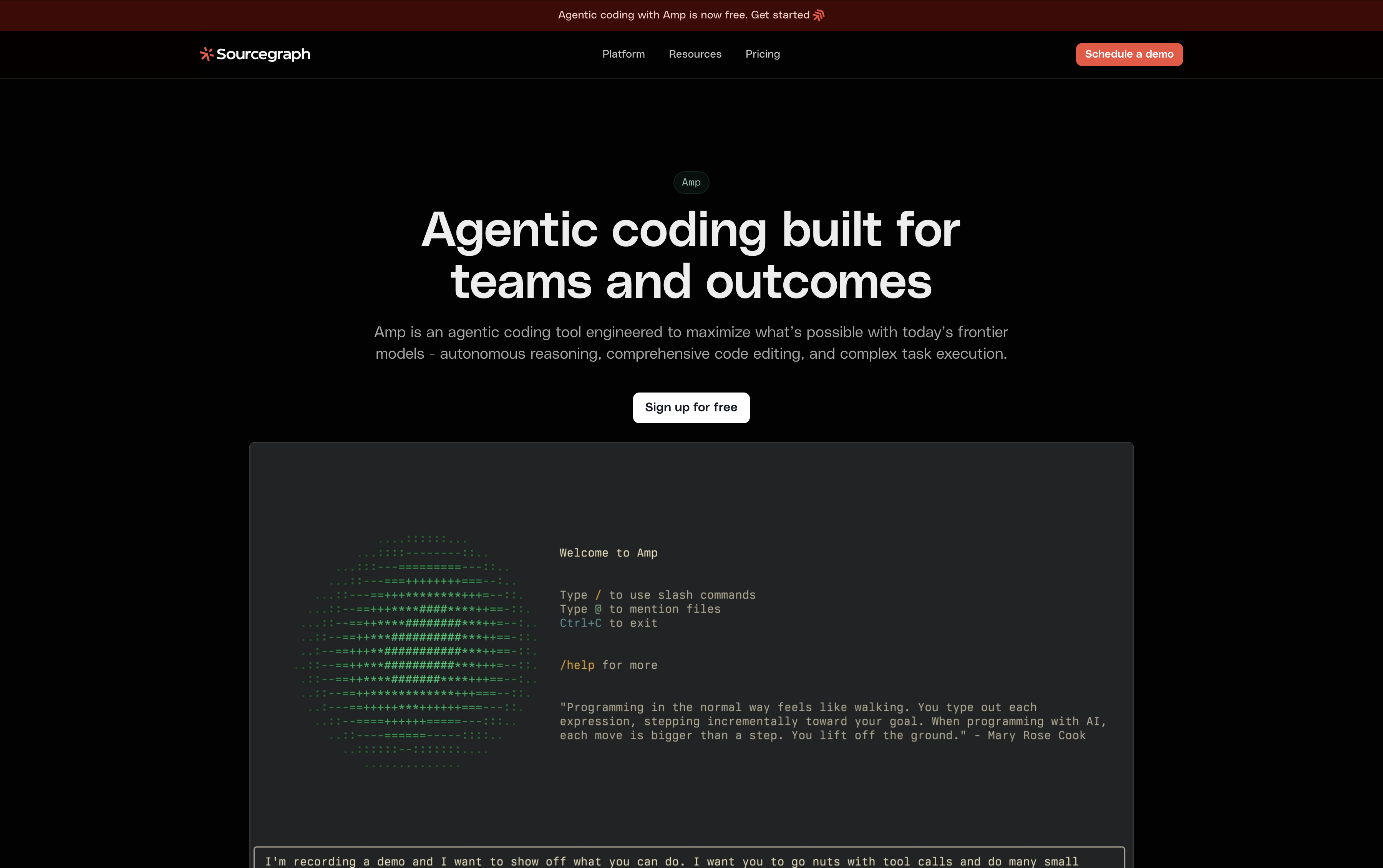
Tools like Sourcegraph Cody help with context retrieval, letting engineers ask "why was this code written this way?" across the full codebase. AI-augmented code review, where a second AI model reviews the first model's output, is becoming standard practice.
The practical defense: AI-proof your documentation. Every module gets a DECISIONS.md that explains why the code is structured this way, not just what it does. When Cursor generates code, it reads these files and follows established patterns. When a new engineer debugs shadow code six months later, they have the reasoning, not just the implementation. Teams that skip this step pay for it in debugging hours. Teams that adopt it consistently report faster onboarding, especially in codebases where most code was AI-generated.
But documentation alone doesn't eliminate the core risk: code moving faster than human comprehension.
This is the core tension of agentic development. The speed is real. The risk is also real. You need something equally agentic on the verification side.
You need an agent to verify what the agent built.
Stage 3: Testing (the quality layer)
This is where most AI-native stacks fall apart.
Teams adopt v0 for design. They adopt Cursor for development. Then they test with the same Playwright scripts they wrote by hand in 2023. Or worse, they skip testing and hope staging catches the bugs.
The math doesn't work. If Cursor generates 15 PRs a day, and each PR requires 30 minutes of manual test verification, you need a full-time engineer just to keep up with testing. And that engineer will still miss the visual regression Cursor introduced by silently changing a Tailwind class.
You can't test at the speed of AI with manual scripts. If you use Cursor to build, you need an agent to verify.
This is where generative AI in testing stops being a nice-to-have and becomes the part of your stack that everything else depends on.
In ML, "evals" verify that a model's output matches intent. Bug0 applies the same principle to the UI. It's the eval layer for your frontend: verifying that what the agent built visually matches what the engineer intended. Not string-matching HTML. Not asserting DOM structure. Evaluating whether the user experience works.
The solution: Bug0 Studio
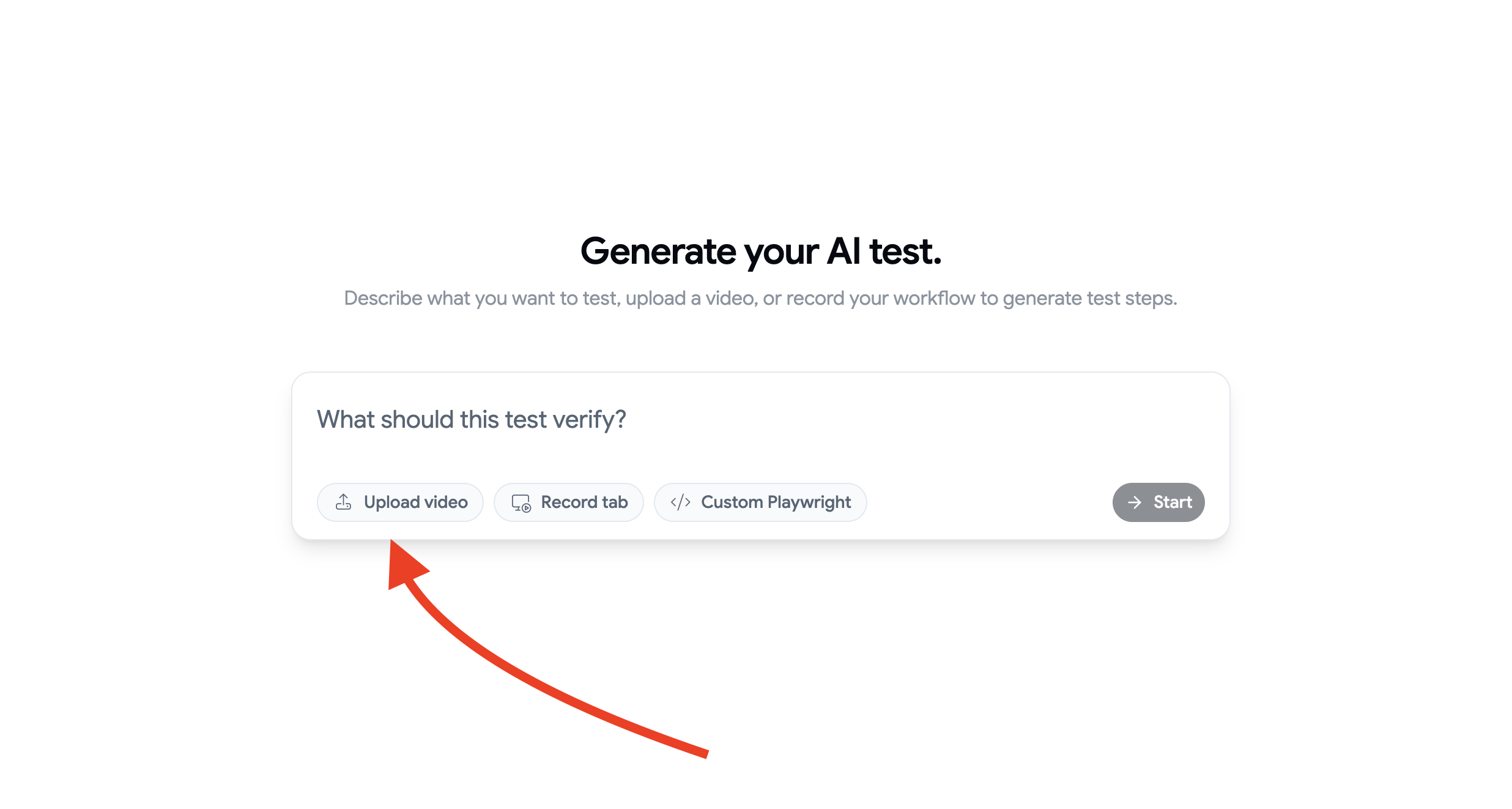
Think of Bug0 Studio as the Cursor for QA. It's an AI-native end-to-end testing platform that uses AI to generate, run, and heal Playwright-based tests using the same agentic approach Cursor applies to development.
One detail that matters more than most teams realize:
Bug0 generates standard Playwright code. Not a proprietary DSL. Not a custom format you can't migrate away from. Standard
.spec.tsfiles that run in your CI withnpx playwright test. If you leave Bug0, you keep every test. No export process. No vendor lock-in.
This is the question every CTO should ask before signing an AI testing contract: "If we cancel, do we keep our tests?" With Bug0, yes. With most competitors, no.
Feature 1: Video-first engineering (the killer workflow)
Record a 30-second Loom of the happy path. Upload it to Bug0. That's it.
The AI watches the recording frame by frame. It identifies every click, every form input, every navigation event. It understands the intent behind each action, not just the coordinates. Then it generates a complete Playwright test suite.
Not a rough draft you spend an hour cleaning up. A working test that passes on the first run.
Other tools claim video-to-code. Most produce output that needs 30-60 minutes of manual editing before it passes. Bug0's vision models have been trained specifically on browser interactions, so the generated tests match what actually happened in the recording. Timing, scroll behavior, hover states, dynamic content. All captured. One honest limitation: vision models still struggle with ultra-fast animations and heavy CSS transitions. If your flow relies on a 150ms slide-in drawer that changes DOM state mid-animation, expect to hand-tune that step. The model sees the before and after, but the in-between gets noisy.
The workflow: Record. Upload. Run. Done.
Feature 2: Self-healing (and where it breaks)
Connect this back to Stage 2.
Cursor renames your Submit button class from submit-btn to btn-primary. Your hand-written Selenium script breaks. Your Cypress test referencing [data-testid="submit-btn"] fails. Your CI goes red. A developer spends 45 minutes debugging what changed.
Bug0 sees the button is still there visually. Same position. Same text. Same behavior. It heals the test automatically. The selector updates. The test passes on the next run. No alerts. No manual fixes. No 45-minute debugging sessions.
A team we work with shipped a redesign of their settings page at 11pm on a Thursday. Cursor had rewritten 14 component files. The old class names were gone. Their hand-maintained Playwright suite would have produced 23 failures and a very long Friday morning. Bug0's self-healing caught all 23 selector changes, updated them, and the scheduled 6am test run passed clean. Nobody got paged. Nobody debugged anything. The engineer who shipped the redesign found out the tests healed when they checked the dashboard Monday morning.
To be clear: self-healing doesn't handle everything. If Cursor removes a feature entirely or changes business logic (not just selectors), Bug0 flags it as a real failure, not something to auto-fix. The healing works on structural changes: renamed classes, moved elements, updated component hierarchies. For logic changes, you still get a failure report with video, AI analysis, and console logs. You still have to look at it. The point is that 80% of the test breakage from agentic development is structural, and that's the 80% you shouldn't be debugging manually.
Feature 3: The managed option
Some teams don't want to operate testing tools at all. They want outcomes.
Bug0 Managed pairs AI-generated tests with forward-deployed QA engineers who maintain your entire test suite. You define what "working" means. They make sure it stays working. Starting at $2,500/month with flat billing and no surprises.
For decision-makers evaluating build vs. buy: this is the "buy" option that doesn't lock you into proprietary formats. Every test is standard Playwright. You own the code.
Quick look: Top generative AI testing tools (2026)
If you're evaluating ai tools for testing, here's where the landscape stands. These are the generative AI testing tools that matter for production use, not demos.
Tool | Best for | Starting price |
|---|---|---|
Bug0 Studio | Agentic E2E and video-to-code | $250/mo |
Applitools | Pure visual regression | Enterprise ($10K+/yr) |
Qodo (formerly CodiumAI) | Unit and code-level tests | Free / $19/mo |
QA Wolf | Done-for-you managed service | $5K+/mo |
Mabl | Low-code test automation | ~$400/mo |
Bug0 occupies the gap between "write all your tests by hand" and "pay someone else to handle everything." You get AI-generated Playwright tests with self-healing and video-to-code, at a price point that doesn't require enterprise procurement approval.
The regulatory reality check
The EU AI Act is in phased enforcement, with prohibited AI practices and GPAI governance rules already active and the majority of high-risk obligations hitting in August 2026. Global regulations around AI-generated code, data handling, and automated decision-making are no longer theoretical. If your AI testing tool processes production data or user recordings, you need to know: where does that data go? Who trains on it? Is the tool SOC 2 compliant?
Enterprise buyers now ask a question that didn't exist two years ago:
Where are our agentic traces stored? Every time Cursor edits a file, Bug0 runs a test, or Sentry analyzes an error, that interaction generates a log. Those logs contain code, user flows, and error context. If your team is in the EU and your agentic traces live on a US server without a Data Processing Agreement, you have a compliance problem.
Data residency for agentic traces is the new "where is our data stored?" It applies to every tool in the stack, not just your database.
Every tool in this stack should have a clear answer. Cursor offers privacy mode that prevents code from being used for training. Bug0 runs tests on isolated infrastructure with SOC 2 compliance. Vercel's data residency controls satisfy GDPR requirements. PostHog offers self-hosted deployments for teams that can't send telemetry to third-party servers.
"Does it have a privacy mode?" is now as important as "Does it work?"
Stage 4: Deployment and ops (the invisible infra)
The tool: Vercel
Deployment used to be a ceremony. Merge to main. Trigger the pipeline. Wait for builds. Check staging. Approve production. Hope nothing breaks.
Vercel turned deployment into a side effect of pushing code. Every PR gets a preview URL. Every merge to main deploys to production. The infrastructure disappears.
In the AI-native stack, this matters because of volume. When Cursor generates 15 PRs a day and Bug0 validates them automatically, you need deployment infrastructure that doesn't bottleneck the flow. Vercel handles this with preview deployments for every branch, automatic rollbacks, and edge functions that scale without configuration.
The bigger shift: Infrastructure as Code is becoming Infrastructure from Intent. Tools like Spacelift and Vercel's own configuration layer let you describe infrastructure goals and let the platform figure out the implementation. "I need a globally distributed API with sub-100ms latency" instead of writing Terraform files.
For the AI-native stack, deployment is the stage that should require the least human attention. Push code. Tests pass. Deploy happens. Move on.
Stage 5: Observability (the feedback loop)
You shipped fast. The tests passed. The deploy succeeded. Now what?
Observability closes the loop. It tells you what's happening in production after the tests have run. Today, observability tools are getting the same AI treatment as every other stage.
PostHog's Max AI is adding session replay summarization. Instead of watching a 12-minute recording of a user struggling with your checkout flow, you get a paragraph: "User attempted to apply a discount code three times. The input field cleared on each attempt due to a re-render triggered by the cart total component. User abandoned checkout after 4 minutes."
Sentry's error grouping uses AI to cluster related errors and explain root causes. Instead of a stack trace that points to line 247 of a minified bundle, you get: "This TypeError occurs when the user's session token expires mid-checkout. The refresh logic fails silently because the error boundary catches the 401 but doesn't retry the original request."
The addition that closes the loop entirely: Sentry now suggests the fix directly and can open a PR in your repository. A production error triggers an AI analysis, generates a patch, and creates a pull request, routing it straight back to Stage 2. The engineer reviews the suggested fix in Cursor, Bug0 runs the regression suite against the PR, and the fix deploys through Vercel. From error to fix to production without a single Jira ticket.
Why this stage completes the stack
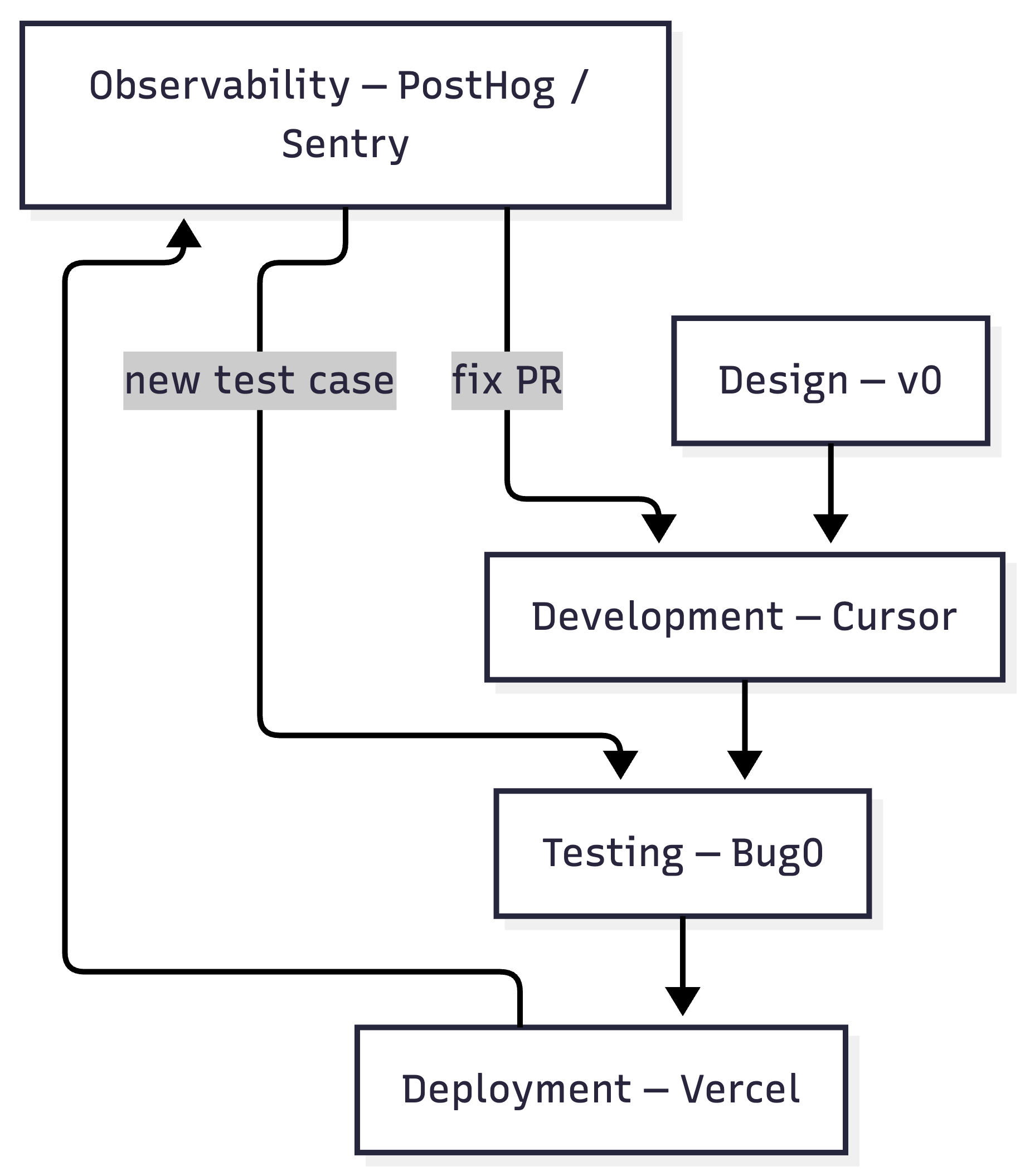
Observability is what turns the AI-native SDLC from a linear pipeline into a loop. Production errors feed back into Bug0 as new test cases. User behavior captured by PostHog becomes the next Loom recording you upload for test generation. Sentry alerts map directly to regression tests and, increasingly, to automated fix PRs.
The stack isn't five separate tools. It's a cycle: Design -> Build -> Test -> Deploy -> Observe -> Fix -> Test -> Deploy. Each stage feeds the next. Each AI tool makes the others more effective. And the human stays in the loop at every seam, reviewing the AI's proposals before they hit production.
The 1-person unicorn

Here's the full stack.
Stage | Tool | What it replaces |
|---|---|---|
Design | v0 / Lovable | Figma + designer handoff |
Development | Cursor (Composer) | Manual coding + code review overhead |
Testing | Bug0 Studio | Hand-written test suites + manual QA |
Deployment | Vercel | DevOps team + CI/CD babysitting |
Observability | PostHog / Sentry | Manual log analysis + session review |
With this stack, a single engineer has the output of a pre-2024 product team. Not because they work harder. Because every stage of the lifecycle has an AI agent handling the repetitive work while the human focuses on evaluation and decisions. What the stack does not replace is distribution. Shipping stopped being the bottleneck, which means getting developers to notice became one.
v0 proposes design. The engineer reviews it. Cursor proposes implementation. The engineer reviews the diff and checks it against .cursorrules. Bug0 generates verification. The engineer audits the assertions. Vercel deploys. PostHog and Sentry report back. The cycle continues.
Notice the pattern. Every stage is "AI proposes, human evaluates." Not "AI does everything." Not "human does everything." A loop where agents handle volume and humans handle judgment.
This is the 10x engineer, and it's not about typing speed. It's about tool selection and the discipline to stay in the loop.
Start with the hardest part first: fixing the quality bottleneck. The gap between "AI can build it" and "AI can verify it" is where most teams are stuck. Close that gap, and the rest of the stack follows.
Try Bug0 Studio to turn your next screen recording into a test suite.
Your human-in-the-loop checklist
Before every ship, verify the seams:
[ ] Did you review the Cursor diff, not just the summary?
[ ] Are your
.cursorrulesup to date with current architecture decisions?[ ] Did you audit Bug0's generated assertions, not just the pass/fail?
[ ] Does your Vercel preview deployment match staging behavior?
[ ] Are Sentry's auto-fix PRs reviewed before merge, not auto-merged?
[ ] Do you know where your agentic traces are stored and who can access them?
The stack handles volume. You handle judgment. This checklist is where the two meet.
FAQs
What is an AI-native SDLC?
An AI-native SDLC is a software development lifecycle where every stage, from design to observability, uses AI tools built specifically for that stage. Not AI-assisted (bolt-on copilots) but AI-native (the tool was designed around AI from day one). v0 doesn't add AI to Figma. It replaces the Figma workflow entirely. Bug0 doesn't add AI to Selenium. It replaces the test-writing workflow entirely.
Is the "1-person unicorn" actually realistic
Mostly realistic for output volume, misleading for everything else. One engineer with this stack can match a traditional team's feature velocity, test coverage, and deploy cadence. But a solo engineer doesn't have anyone to argue with about architecture decisions, catch their blind spots in code review, or tell them the feature they're building isn't what customers want. The stack replaces execution headcount. It doesn't replace the judgment that comes from a team with diverse experience.
What is generative AI in software testing?
Generative AI in software testing means using large language models and vision models to create complete test suites from natural language descriptions, video recordings, or application analysis. The AI generates new tests from scratch, not just autocompleting test code you started. Bug0 Studio is an example: you upload a screen recording, and it generates a full Playwright test suite that runs immediately.
How does agentic testing differ from traditional test automation?
Traditional automation follows a script: click element A, type text B, assert element C. When element A moves or gets renamed, the test breaks. Agentic testing receives a goal ("complete the checkout flow") and figures out the steps dynamically. When the UI changes, the agent finds a new path to the same outcome. It's the difference between turn-by-turn GPS directions and telling someone the destination.
Why do you keep saying testing is the bottleneck? My deploys are fine.
Your deploys might be fine because you're not testing enough. Most teams that "ship fast" with AI tools are actually shipping with less verification than they had in 2023. They've traded slow, thorough testing for fast, minimal testing, and the bugs show up in production instead of CI. The bottleneck isn't visible until you measure how many post-deploy hotfixes you're shipping, how often users hit broken flows, or how many Sentry alerts your team is ignoring.
How much does this full stack cost?
v0 has a free tier, with Pro at $20/month. Cursor is $20/month. Bug0 Studio starts at $250/month. Vercel has a free tier, with Pro at $20/month. PostHog has a generous free tier. For a solo engineer or small team, the full AI-native stack costs roughly $300-350/month. Compare that to the $15K-25K/month a traditional team of designers, developers, QA engineers, and DevOps would cost.
Those are the subscription costs, and they are the predictable half. The tokens the models spend underneath those tools are metered separately and vary with how hard each task is, which is why Claude Opus 5's effort levels matter to the other half of the bill.
What about security and compliance with AI tools?
Every tool in this stack handles data differently. Ask three questions before adopting any AI tool: Does it offer a privacy mode that prevents your code from being used for model training? Is it SOC 2 compliant? Does it satisfy your data residency requirements (GDPR, EU AI Act)? Cursor, Bug0, and Vercel all offer privacy controls. PostHog offers self-hosted deployment. Don't assume compliance. Verify it.
What is "shadow code" and how do I prevent it?
Shadow code is AI-generated code that works but nobody on your team fully understands. It becomes a maintenance liability when it breaks. Prevent it with three practices: use .cursorrules or similar context files to constrain AI output to your team's patterns. Use AI-augmented code review tools (like Sourcegraph Cody) to help engineers understand generated code. And run agentic tests (Bug0) against every AI-generated PR so that even if the code is opaque, the behavior is verified.
What if I already have a Playwright test suite?
You don't have to start over. Bug0 works alongside existing test suites. Use it to generate new tests from video recordings or natural language while keeping your current tests running. Over time, the self-healing AI tests reduce the maintenance burden on your hand-written suite. Most teams transition gradually, not all at once.
Written by

Building Bug0, an AI-native E2E testing platform for modern apps - co-founder & ceo @ Hashnode


