File Permissions and Access Control Lists
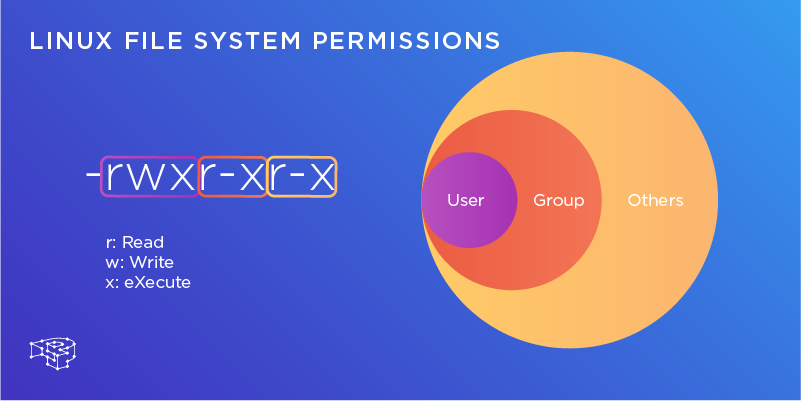
1.Create a simple file and do ls -ltr to see the details of the files. As a task, change the user permissions of the file and note the changes after ls -ltr ubuntu@ip-172-31-13-215:~/file_permissions$ vi new_file.txt ubuntu@ip-172-31-13-215:~/file_pe...
Responses
Markdown supported · ⌘↵ to post
Gemma Black
You know - I've never really used the symbolic notation for setting permissions, but you made it super simple. Thanks priyanka yadav for the guide.
And even ACLs, I haven't made use of them at all. But good to know.