Forums
Thread
Why XPath in Selenium is Still the "Swiss Army Knife" of Automation in 2026
When building automation frameworks, we often hear: "Use IDs" or "Stick to CSS selectors." But as modern UIs become more dynamic and component-driven (React, Vue, etc.), those static locators often fail.
Today, I want to discuss why mastering XPath in Selenium is a non-negotiable skill for building resilient test suites that don't break on every deployment.
“Choosing the right XPath is crucial for test case stability. Being a powerful tool, it provides a flexible way to build robust Selenium test scripts that can handle a variety of web page structures with dynamic content and make sure they won’t fail if any of these locators change later.” — Michael Bodnarchuk, CTO of testomat.io
1. The Strategy: Move from Structural to Semantic Locators
The biggest mistake is using "Absolute XPath" (/html/body/div...). If a developer adds a single wrapper, your test dies.
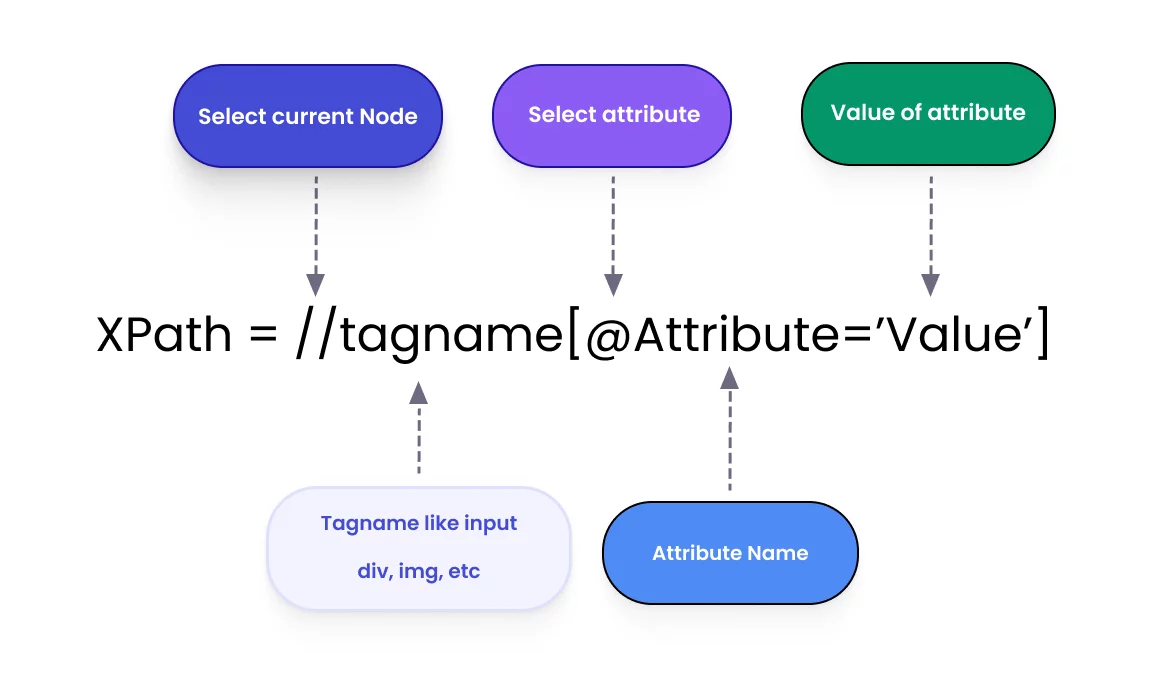
Instead, the testomat.io team recommends Relative Paths. You should look for elements based on their meaning or context:
Dynamic IDs? Use
//input[contains(@id, 'user-')]No IDs at all? Use text nodes:
//button[text()='Submit']
2. Advanced Navigation with XPath Axes
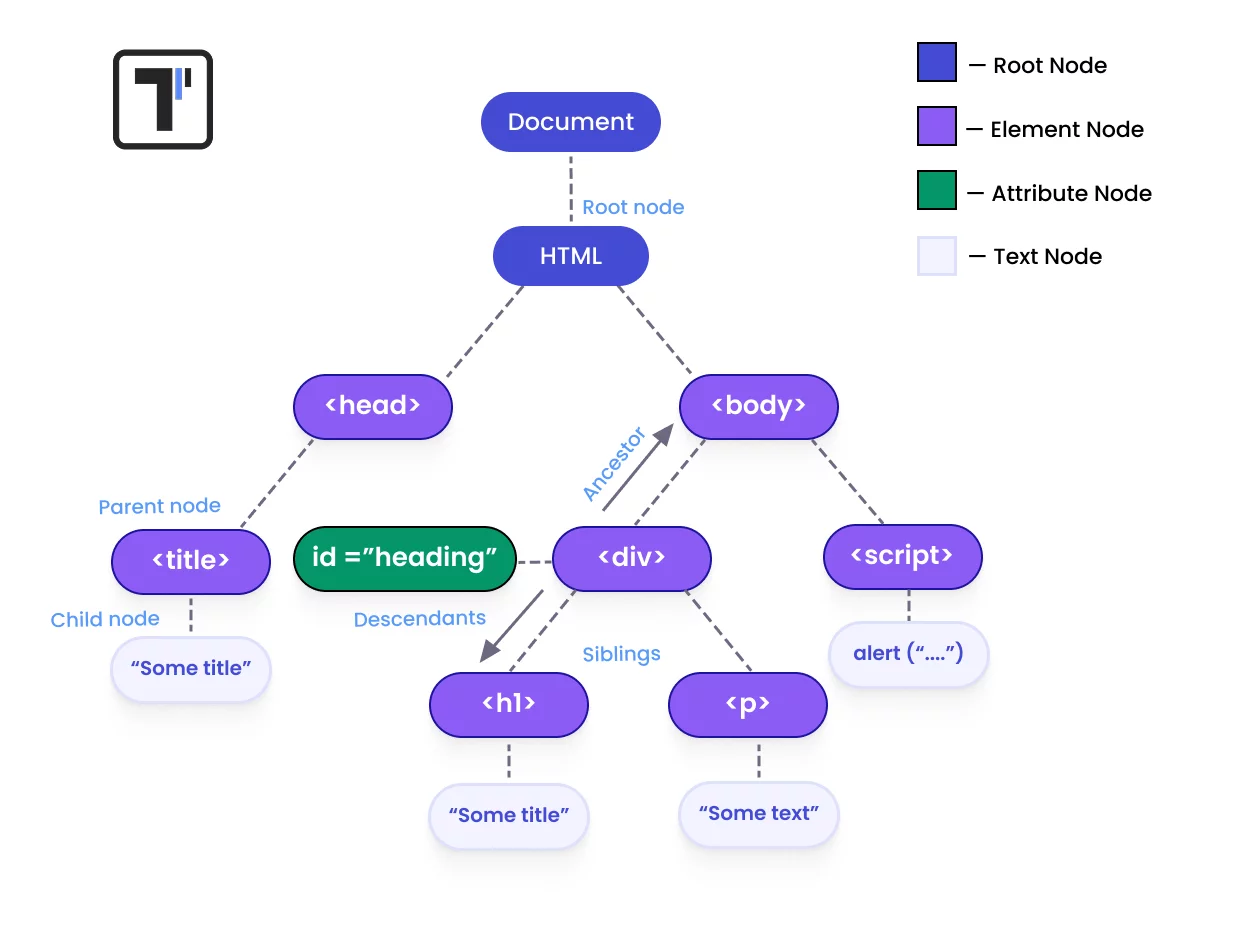
This is where XPath beats CSS selectors every time. CSS cannot move "up" the DOM tree. XPath axes allow you to navigate based on relationships:
Parent/Ancestor: Find a button inside a specific row.
Siblings: Find an input field located next to a specific label:
//label[text()='Email']/following-sibling::input
3. Best Practices for 2026
To keep your maintenance low, follow these core principles:
Short & Specific: Don't write paths that are 10 nodes long.
Anchor to Stable Elements: Find a unique container and search within it.
Avoid Indexes: Avoid
div[5]whenever possible; use attributes or text instead.
Managing Stability at Scale
Writing great locators is half the battle. The other half is managing them. Tools like testomat.io are designed to help teams track flaky tests and manage automated suites alongside manual ones. When your XPath strategy is combined with a solid test management platform, you get:
Real-time failure analysis (is it a bug or a locator change?).
Unified quality metrics across manual and automated efforts.
AI-driven insights into test suite health.
FAQ for the Community
Is XPath slower than CSS? In 2026, the performance difference is negligible in modern browsers. The stability and flexibility you gain with XPath far outweigh any millisecond-level speed differences.
How to find elements that appear only on hover? Use your browser's "Pause" shortcut (usually F8 or through the "Sources" tab) to freeze the DOM, then craft your relative XPath.
What's your go-to strategy for dynamic UIs? Let's discuss below!
Responses
No responses yet.